


Description
MineMind
Bring intelligent AI companions to your Minecraft Bedrock Dedicated Server.
MineMind is an AI-powered companion addon for Vanilla Bedrock Dedicated Server (BDS). Spawn one or more companions, connect each to your preferred AI provider, and control them using natural language directly from within Minecraft.
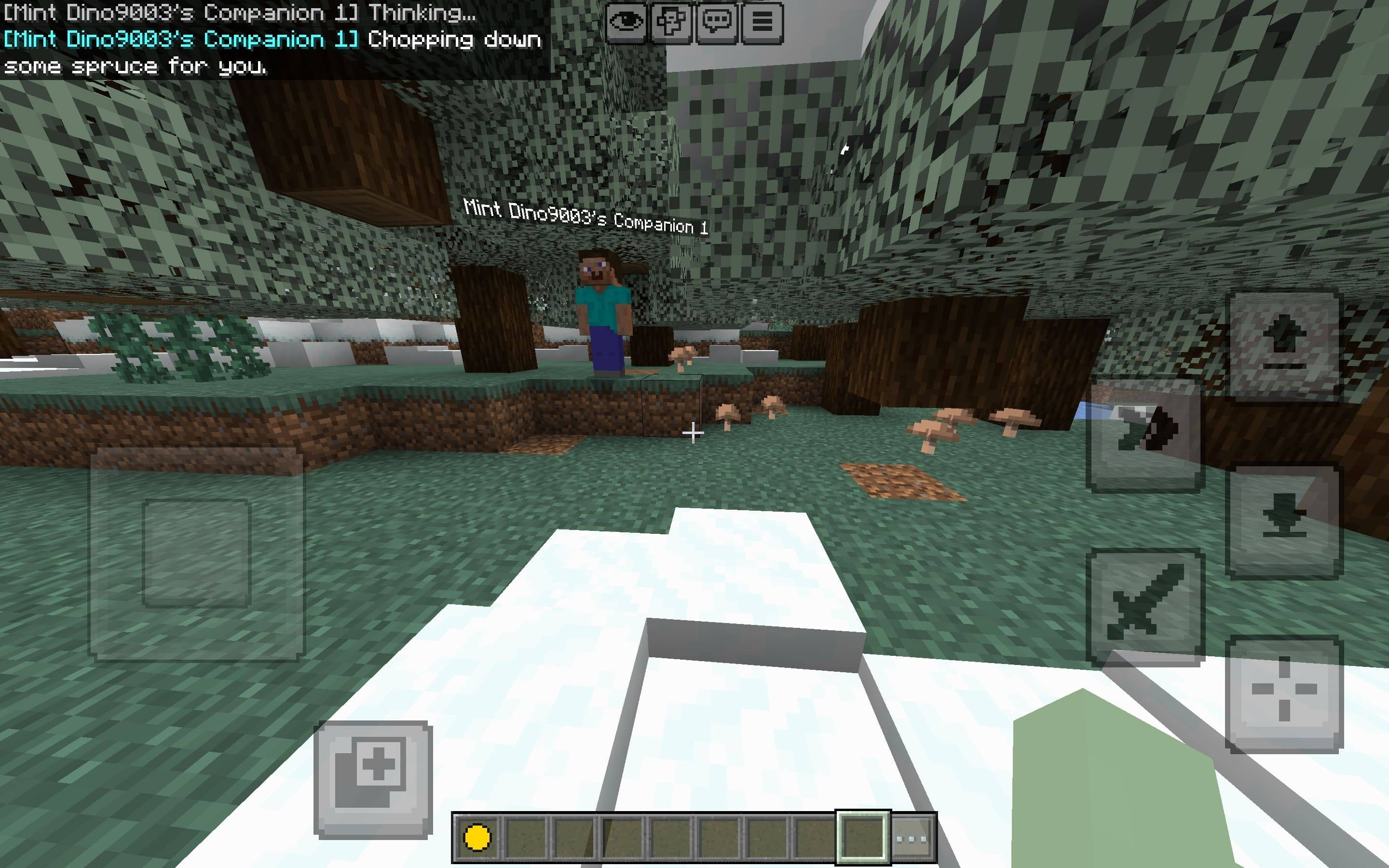
Every companion can be configured independently with its own provider, API key, AI model, and generation settings, allowing multiple companions to use different AI services simultaneously.
✨ Features
🤖 Spawn multiple AI companions
💬 Natural language conversations and commands
🔑 Separate API keys for every companion
🌐 Supports multiple AI providers
⚙️ Independent settings for each companion
🚶 Follow and interact with players
📊 Companion status tracking
✏️ Rename companions
👥 Multiplayer friendly
⚡ Built for Vanilla Bedrock Dedicated Server (BDS)
🌍 Supported AI Providers
Each companion can use a different provider and model.
OpenRouter
OpenAI
Google Gemini
Anthropic
Any OpenAI-compatible API
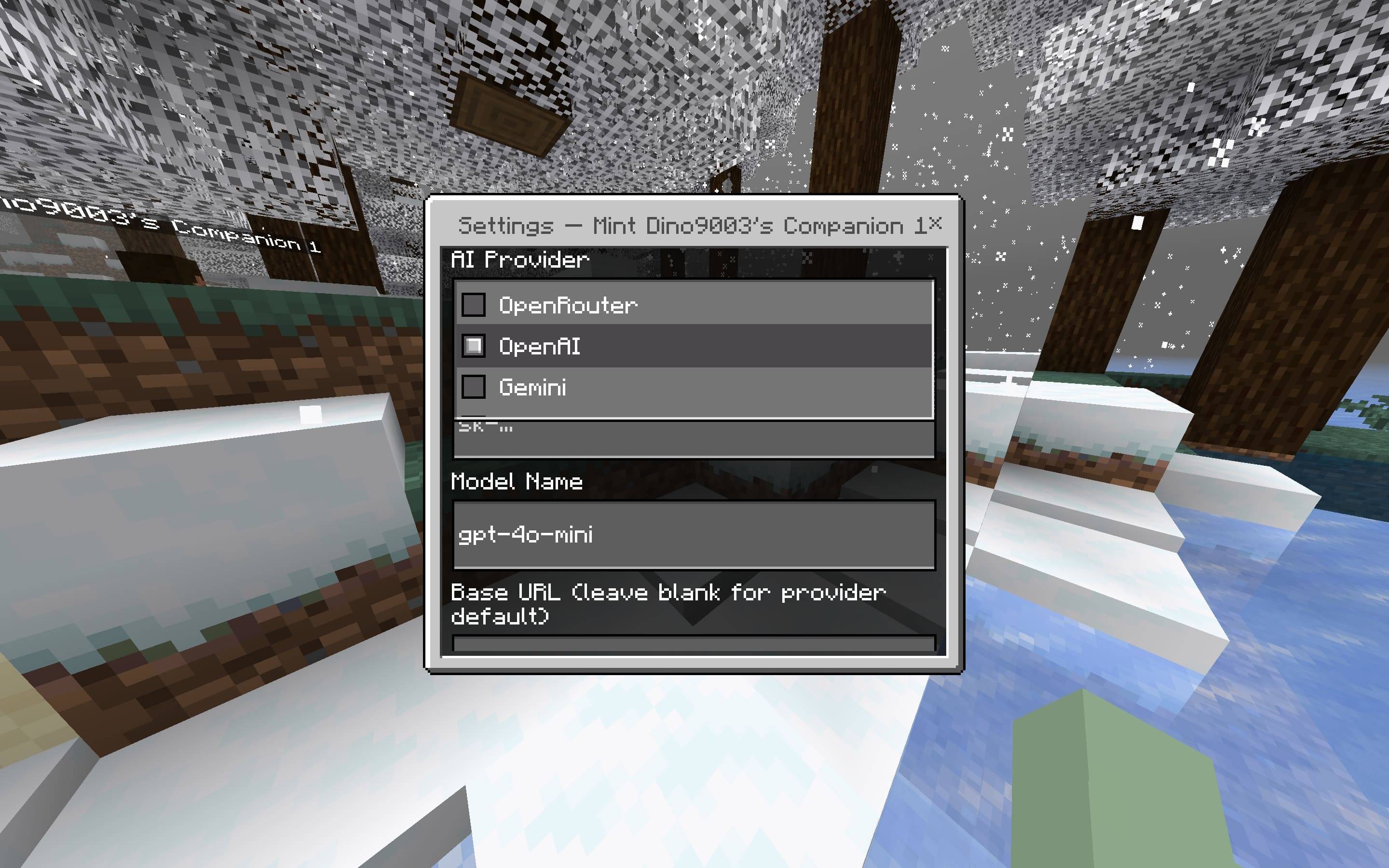
Every companion supports its own:
Provider
API Key
Model
Base URL
Temperature
Maximum Tokens
📋 Requirements
Minecraft Bedrock Dedicated Server (BDS) v26.0+
Script API enabled
Required server modules
Internet connection
API key(s) for your chosen AI provider
⚠️ Important
MineMind does not include AI models or API keys. You must supply your own credentials from a supported provider.
📥 Installation
Install the MineMind behavior pack and resource pack on your Bedrock Dedicated Server.
Enable Script API/Beta APIs.
Add the required modules to your permissions.json.
Restart your server.
permissions.json
{
"allowed_modules": [
"@minecraft/server-gametest",
"@minecraft/server",
"@minecraft/server-ui",
"@minecraft/server-admin",
"@minecraft/server-editor",
"@minecraft/server-net"
]
}
⌨️ Commands
Spawn Companion
/scriptevent aic:spawn
Spawns a new AI companion at your current location.
Open Companion Menu
/scriptevent aic:menu
/ai:menu
Opens the companion interaction menu.
Open AI Settings
/scriptevent aic:settings
Opens the AI provider settings menu.
Talk to a Companion (Slash Command)
/ai:talk
Example:
/ai:talk Rex "Collect 32 oak logs."
This registered slash command supports autocomplete.
Note: Due to Bedrock's custom command limitations, multi-word messages must be enclosed in quotation marks.
Talk to a Companion (Script Event)
/scriptevent ai:talk
Example:
/scriptevent ai:talk Rex Collect 32 oak logs and return home
The script event automatically treats everything after the companion name as the message, making it the recommended option for longer requests.
🧩 Items
Companion Core
Use the Companion Core to spawn a new AI companion.
🤖 Companion Menu
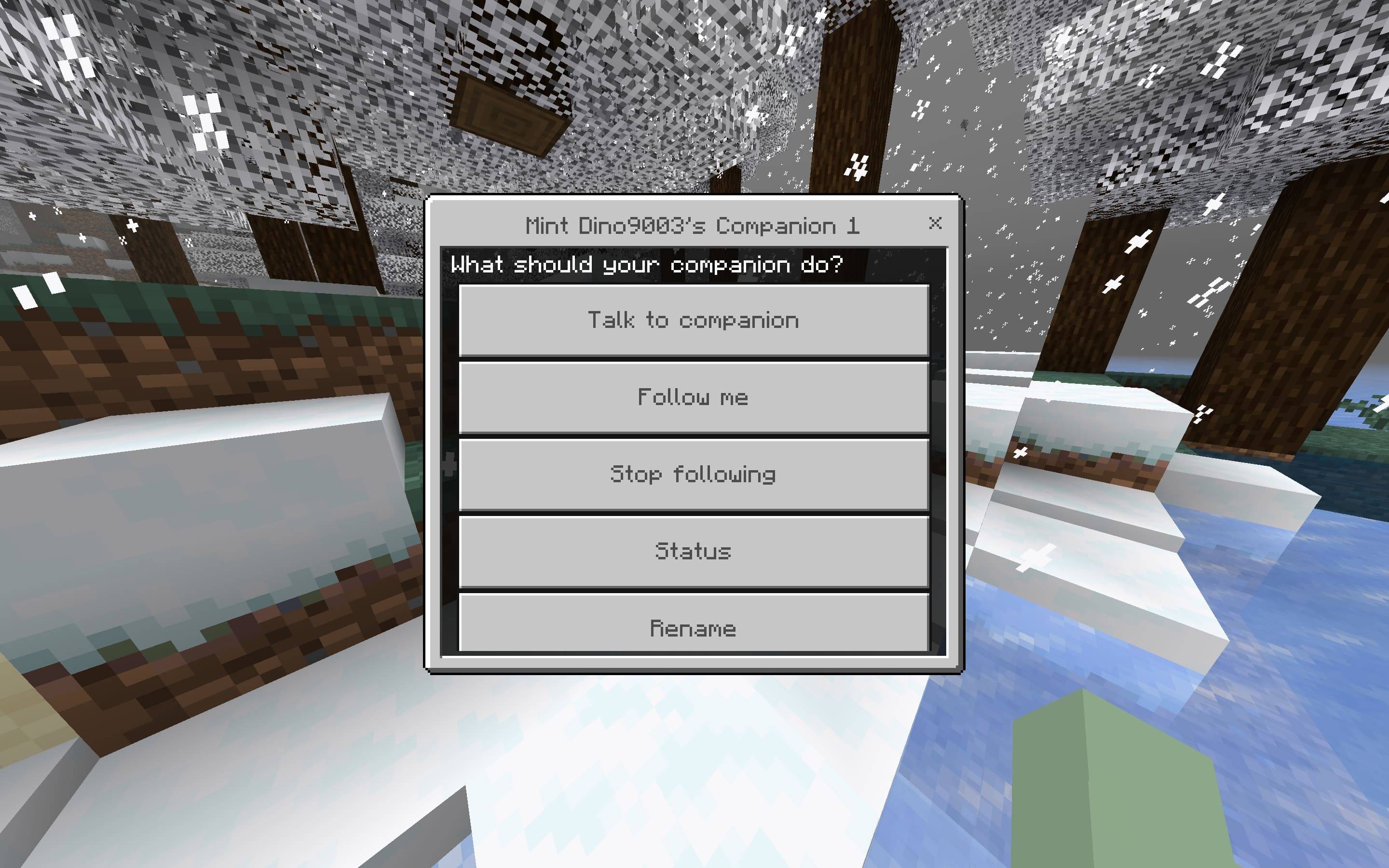
Interact with your bound companion (right-click on Windows or tap on mobile) to open its menu.
Available options:
💬 Talk to Companion
🚶 Follow Me
🛑 Stop Following
📊 Status
✏️ Rename
⚙️ AI Settings
AI Settings include:
Provider
API Key
Model
Base URL
Temperature
Maximum Tokens
👥 Multiple AI Companions
MineMind supports multiple companions running simultaneously.
Each companion maintains its own independent configuration, including:
AI Provider
API Key
AI Model
Generation Settings
This allows different companions to use completely different AI providers and models at the same time.
📝 Notes
MineMind does not include AI models or API keys.
You are responsible for any API usage charges from your chosen provider.
Response quality and speed depend on the AI model you select.
For long or complex instructions, /scriptevent ai:talk is recommended since it doesn't require quotation marks.
It requires both the resource pack and behaviour pack.
Comments