


Description
Extensive Mob Heads adds EVERY mob head to the game.
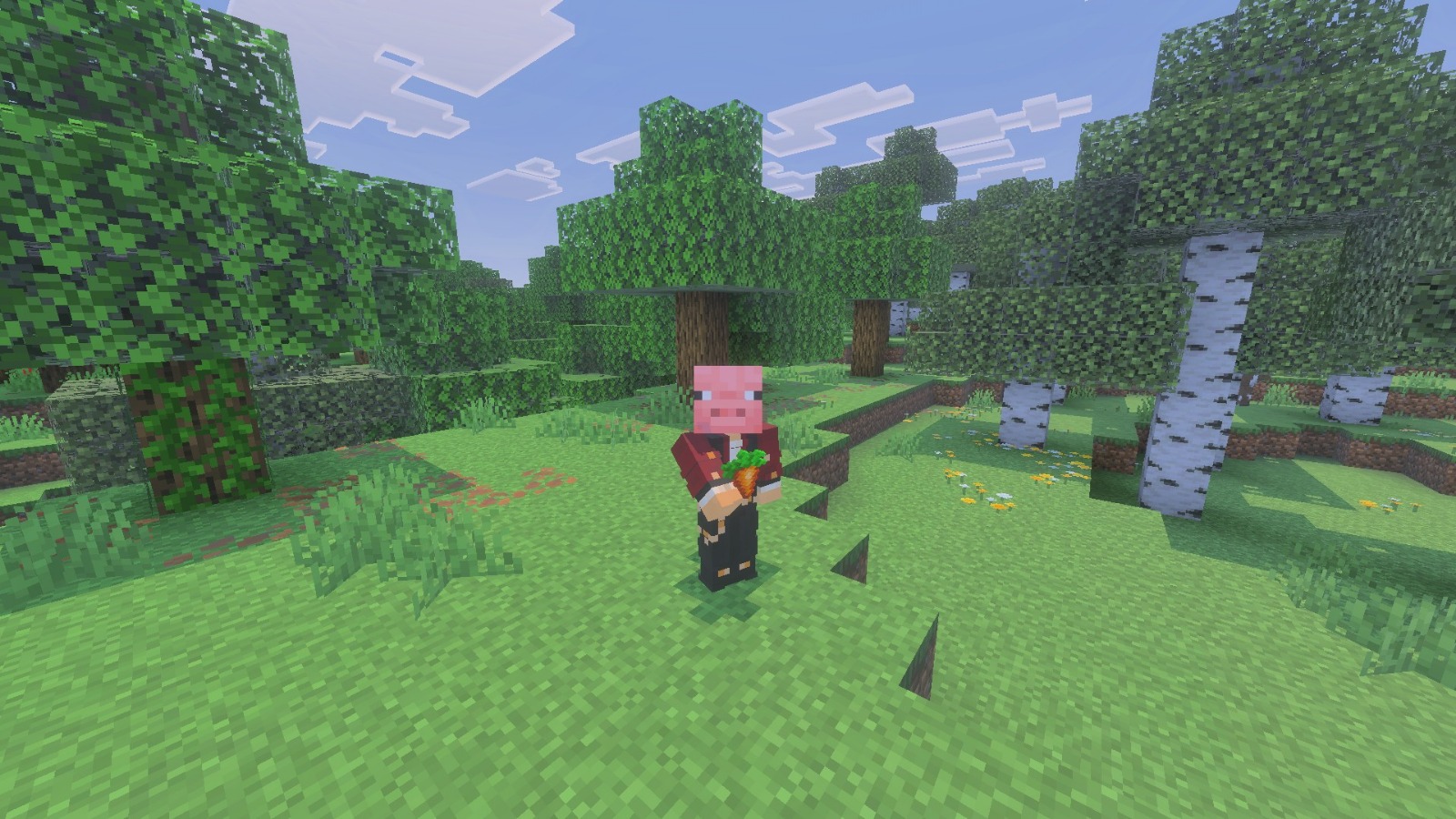
me!

UPDATE 1.4.0 is here with tiny heads and big changes!
IMPORTANT:
Permutations for all heads have changed making each head use 24 permutations instead of the previous 48. Because of this every head that was placed upside down angled will now return to a normal rotation.
Some block IDs have been fixed for consistency.
Changed block IDs include:
• Tamed Horse heads with golden armor
• Tamed Nautilus heads with golden armor
• Medium Pufferfish head
• Melting Snow Golem heads
• Colored Shulker Shell heads
Existing heads in your inventory or placed in the world will automatically change to their new IDs.
Heads work just like vanilla heads as of 1.26.30 and every head can now be worn!
You are now also able to switch between using Vanilla textures or Custom textures inside your settings.
To see the full changelog, please visit the Curseforge page.
FEATURES:
Crafting recipes:
Head Settings:
Note: Head Settings can only be accessed by operators.
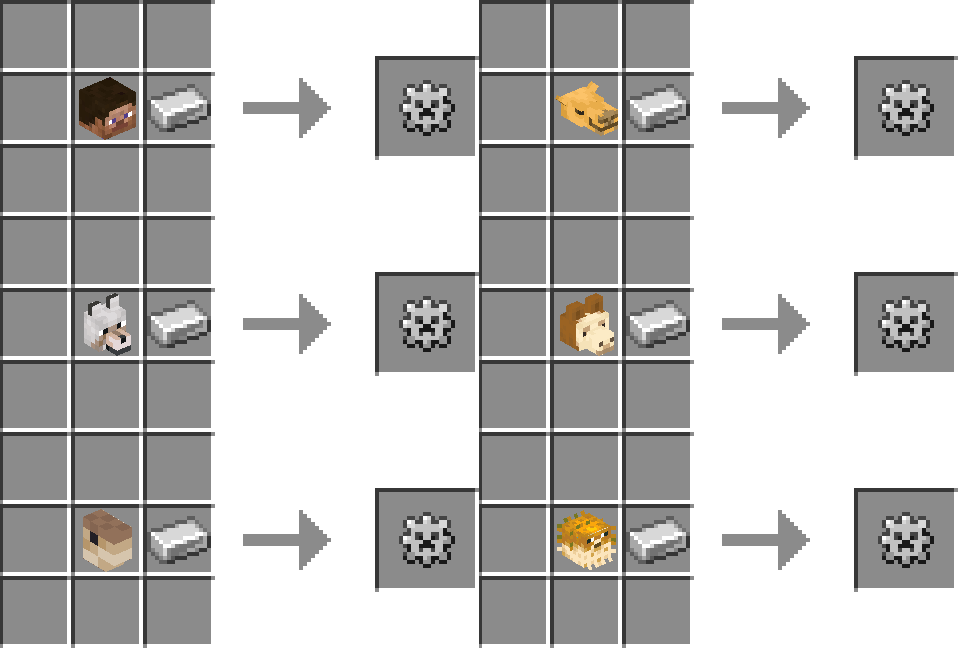
Head Settings can be crafted using ANY head.
Head Index:
A book to keep track of your head collection.
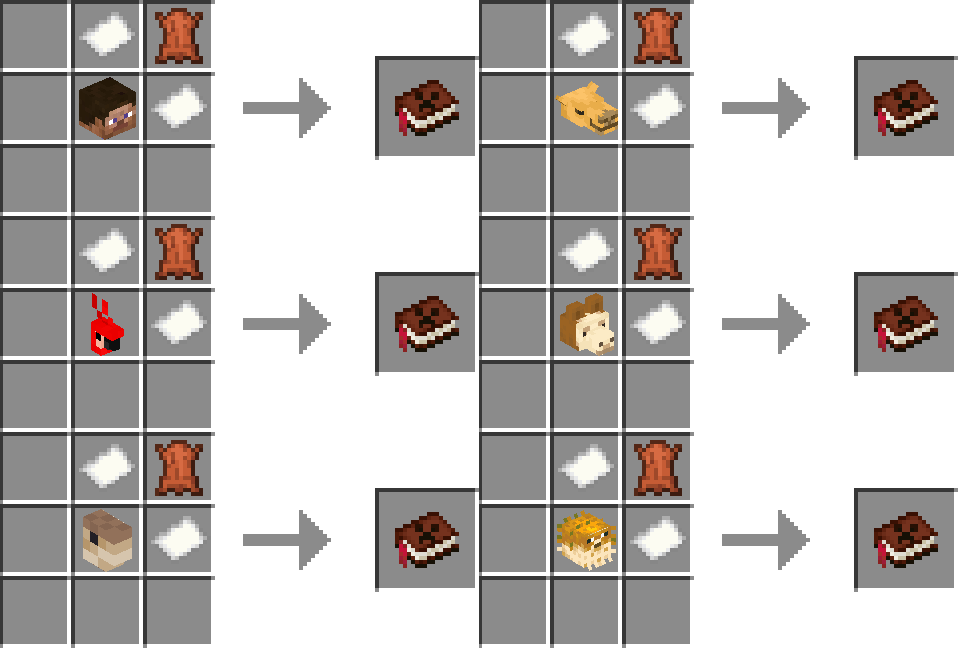
Head Index can be crafted with ANY mob head.
Wrench:
A useful tool to rotate heads without having to break them.
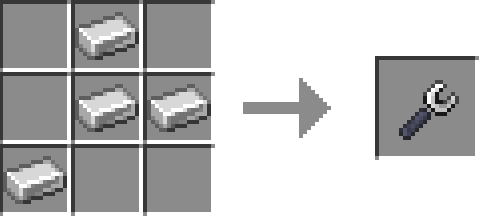
Sheep Heads:
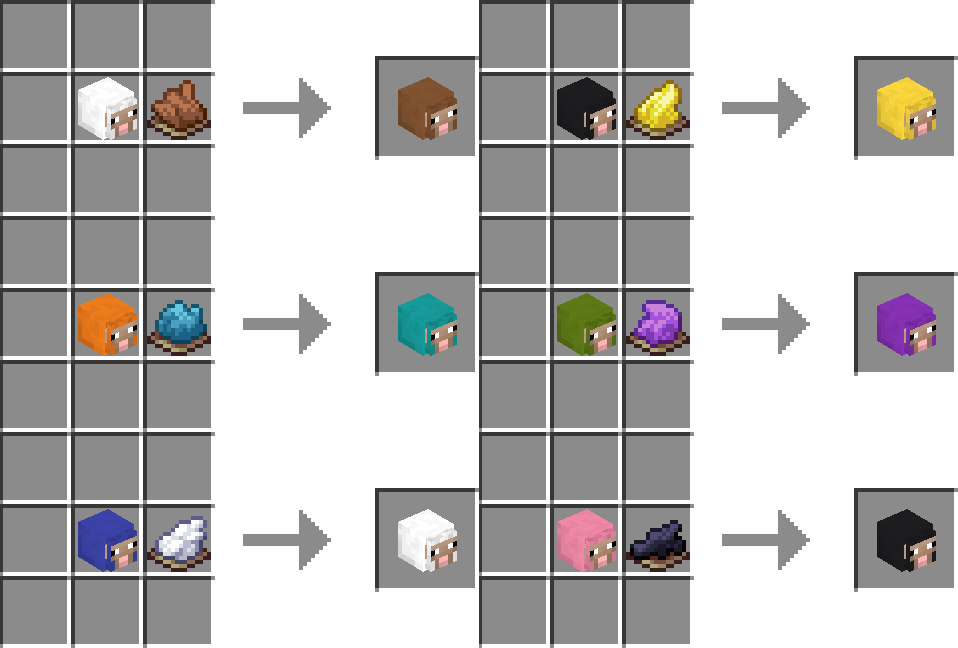
ANY Sheep Head can be dyed with ANY color dye.
Llama Heads:
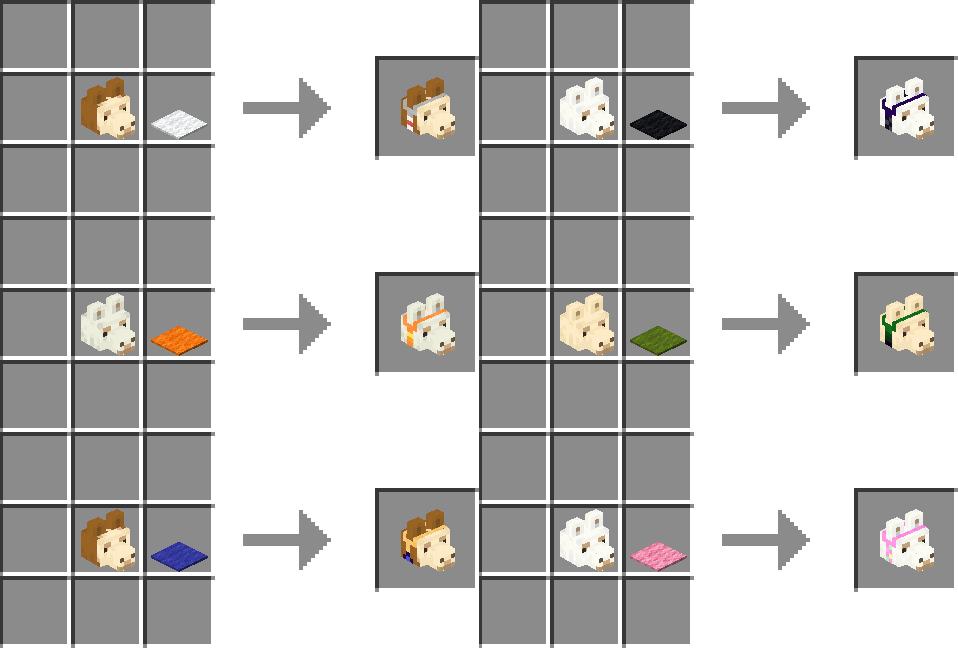
Decorated Llama Heads can be crafted with ANY color of carpet.
Copper Golem Heads:
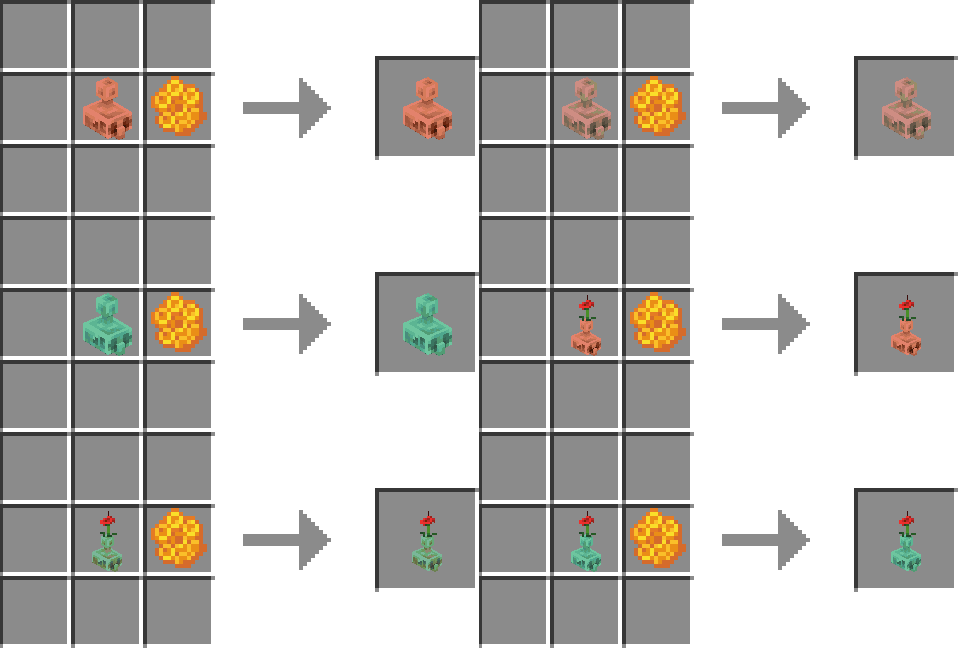
Copper Golem Heads can be combined with honeycomb to craft their waxed state.
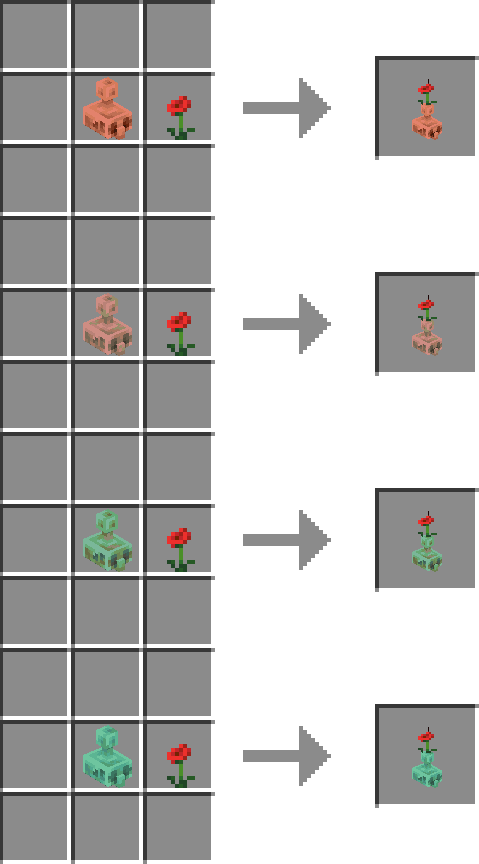
Copper Golem Heads can be combined with poppies to craft their Copper Golem Poppy Heads.
Iron Golem Heads:
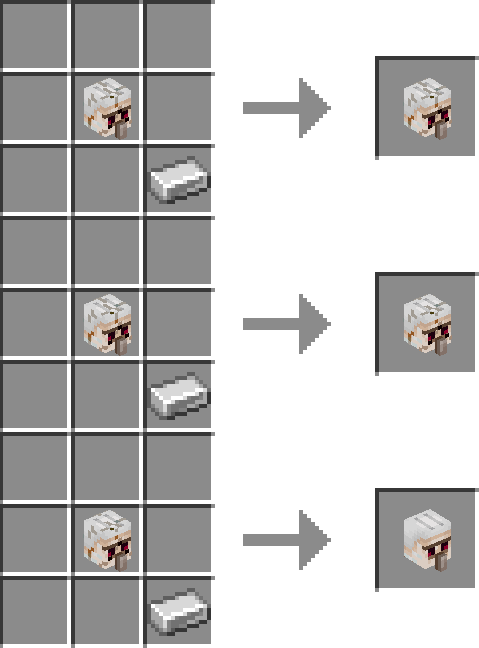
Iron Golem Heads can be repaired with iron ingots.
Snow Golem Heads:
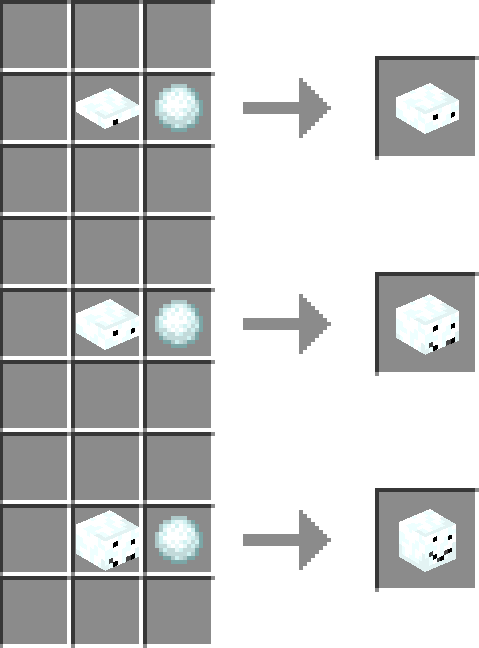
Snow Golem Heads can be repaired with snowballs.
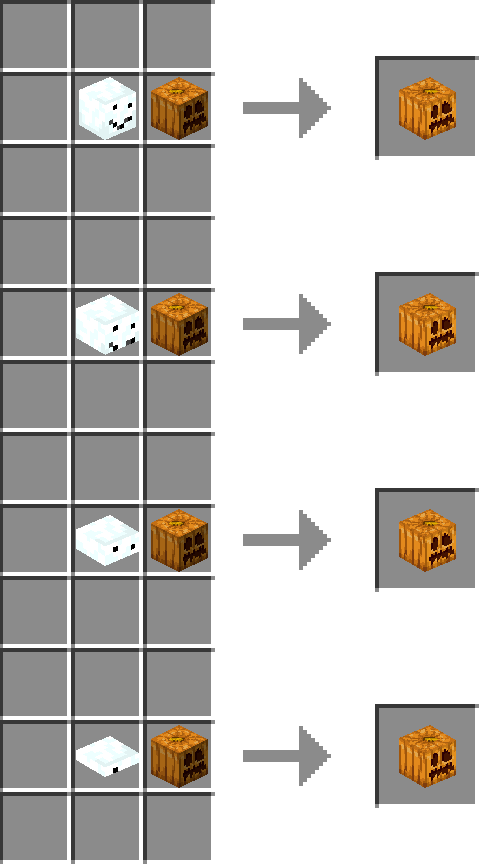
Snow Golem Pumpkin Heads can be crafted with pumpkins.
Nautilus Shell Heads:
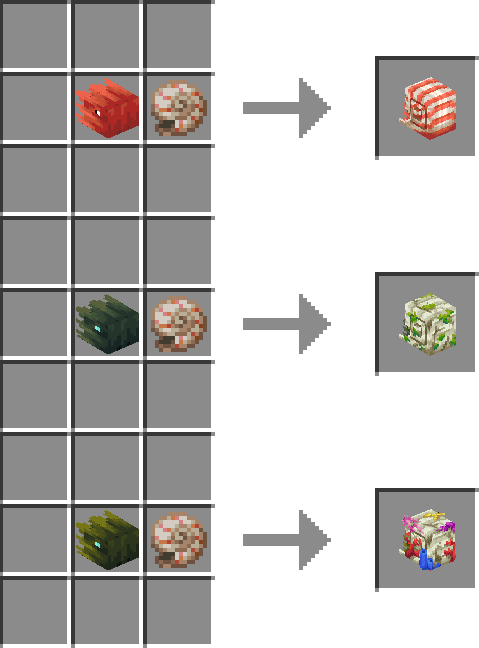
Nautilus Heads can be combined with nautilus shells to craft Nautilus Shell Heads.
Shulker Shell Heads:
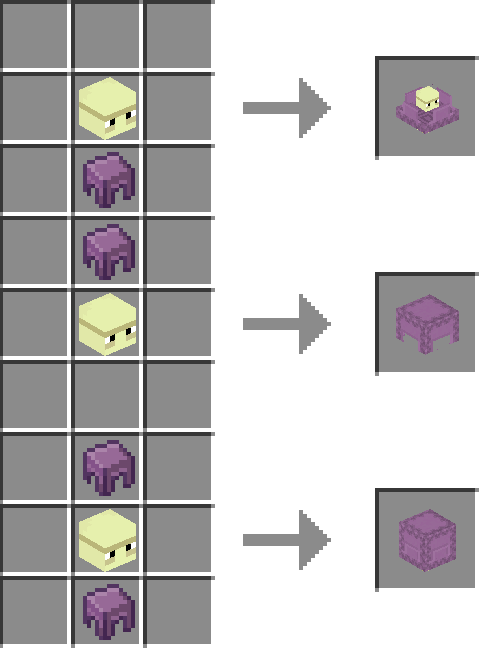
Shulker Heads can be combined with shulker shells to craft Shulker Shell Heads.
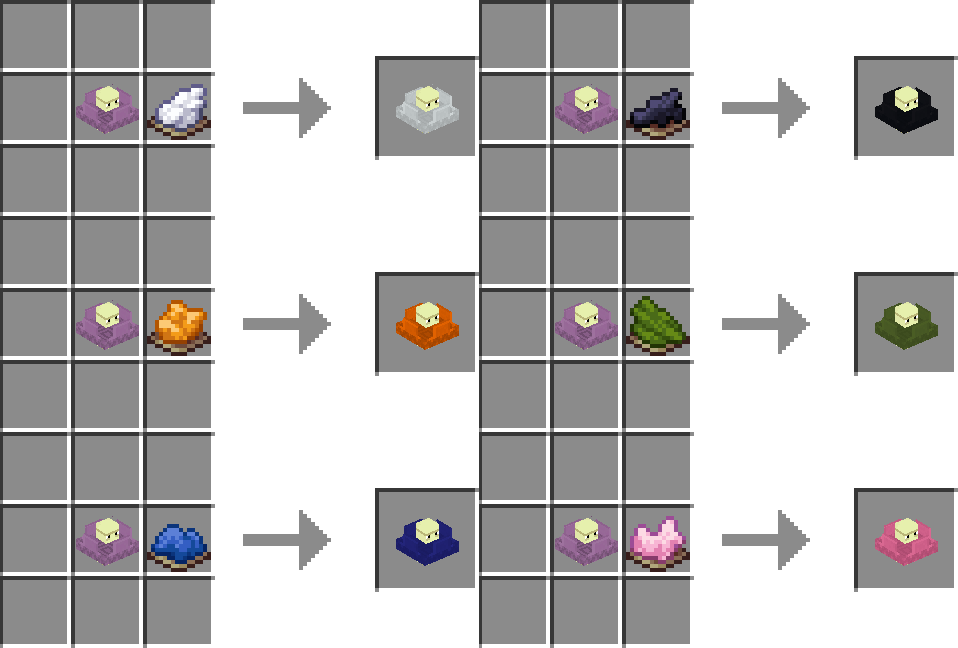
ANY Shulker Shell Head can be dyed with ANY color dye.
FOR OPERATORS:
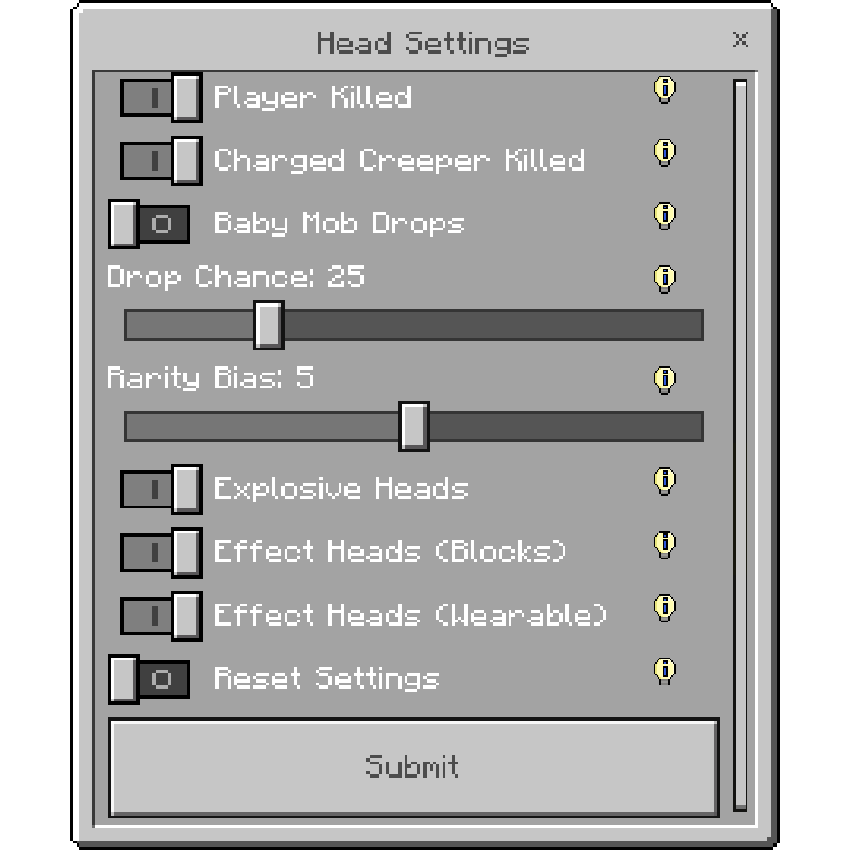
You will be given a head settings item upon joining your world, there you can change settings like drop chances, rarity bias and much more.
If you want your friend to also access these settings you will need to give them operator permissions.
REQUIREMENTS:
No additional toggles are needed for this addon to work. Simply add the resource and behavior pack to your world and you are ready to go.
INSTALLATION:
Locate the downloaded .mcaddon file.
Double-click or tap the file.
Minecraft will open automatically and begin importing the Behavior Pack and Resource Pack.
Wait for the "Import Successful" message at the top of your screen.
MANUAL INSTALLATION:
If the above step failed rename the file extension from .mcaddon to .zip.
Extract the folders.
FOR PC USERS:
Move the Behavior Pack folder to:
AppData > Roaming > Minecraft Bedrock > Users > Shared > games > com.mojang > behavior_packs
Move the Resource Pack folder to:
AppData > Roaming > Minecraft Bedrock > Users > Shared > games > com.mojang > resource_packs
FOR ANDROID USERS:
Move the Behavior Pack folder to:
Android > data > com.mojang.minecraftpe > files > games > com.mojang > behavior_packs
Move the Resource Pack folder to:
Android > data > com.mojang.minecraftpe > files > games > com.mojang > resource_packs
ADDITIONAL INFORMATION:
Supported languages:
• English (United States)
• Deutsch (Deutschland)
• Español (España)
• Português (Portugal)
DISCORD:
If you find any bugs, have any suggestions or simply want to follow updates on what's next follow our Discord server.
@lucas3008
Top
@lucas3008
.